Read the wire.Then read the token.

Token Wire keeps a running wire of Solana token news and joins a story to the token it names whenever that token can be verified, so one tap takes you from the headline to the market — and to your own wallet.

Signed Android release — version 0.1.0, about 81 MB. Install it directly on your phone; your browser may ask you to allow installs from this site. Nothing on this page is behind a sign-up.

  • Android
  • Free and non-commercial
  • Independent and unofficial
  • Nothing held in custody
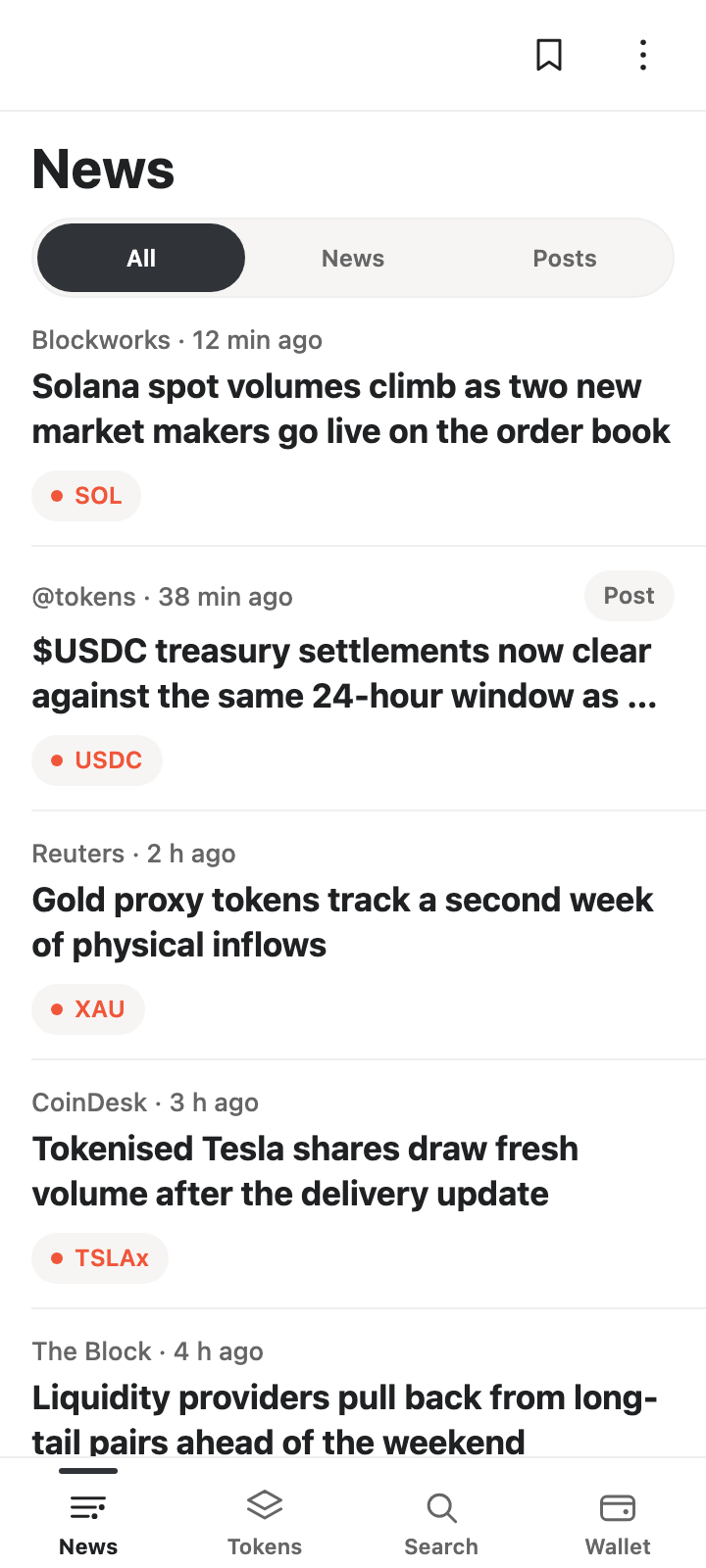
Token Wire's News screen: a chronological wire of Solana market stories, each row showing publisher, age, headline and up to three tokens the story names.
The wire is the first screen. One story per row, publisher and age on one quiet line, and the tokens that story actually names.

The join is the product

Most feeds give you the story with no token attached. Most token lists give you numbers with no story. Token Wire does the one thing that needs doing deliberately: it connects them — and shows you the connection only when it can be checked.

  1. 01 — a story arrives

    A running wire, newest first

    Market stories and posts from the Tokens account arrive on one tape, filterable to news or posts. Each row carries its publisher and its age, so you always know how current the wire is.

  2. 02 — the story names a token

    Only confirmed tokens get a chip

    A cashtag in a headline is a claim, not a fact. Token Wire checks it against the directory and shows a token chip only when the name matches an asset exactly. Unconfirmed cashtags stay plain text.

  3. 03 — you decide what to do

    One tap to the market, and to your wallet

    Price, 24-hour move, liquidity, volume, risk grade, charts, markets and every Solana representation sit one tap from the story. Following a token saves it on your device; a swap is quoted and reviewed in the app, then approved inside your own wallet.

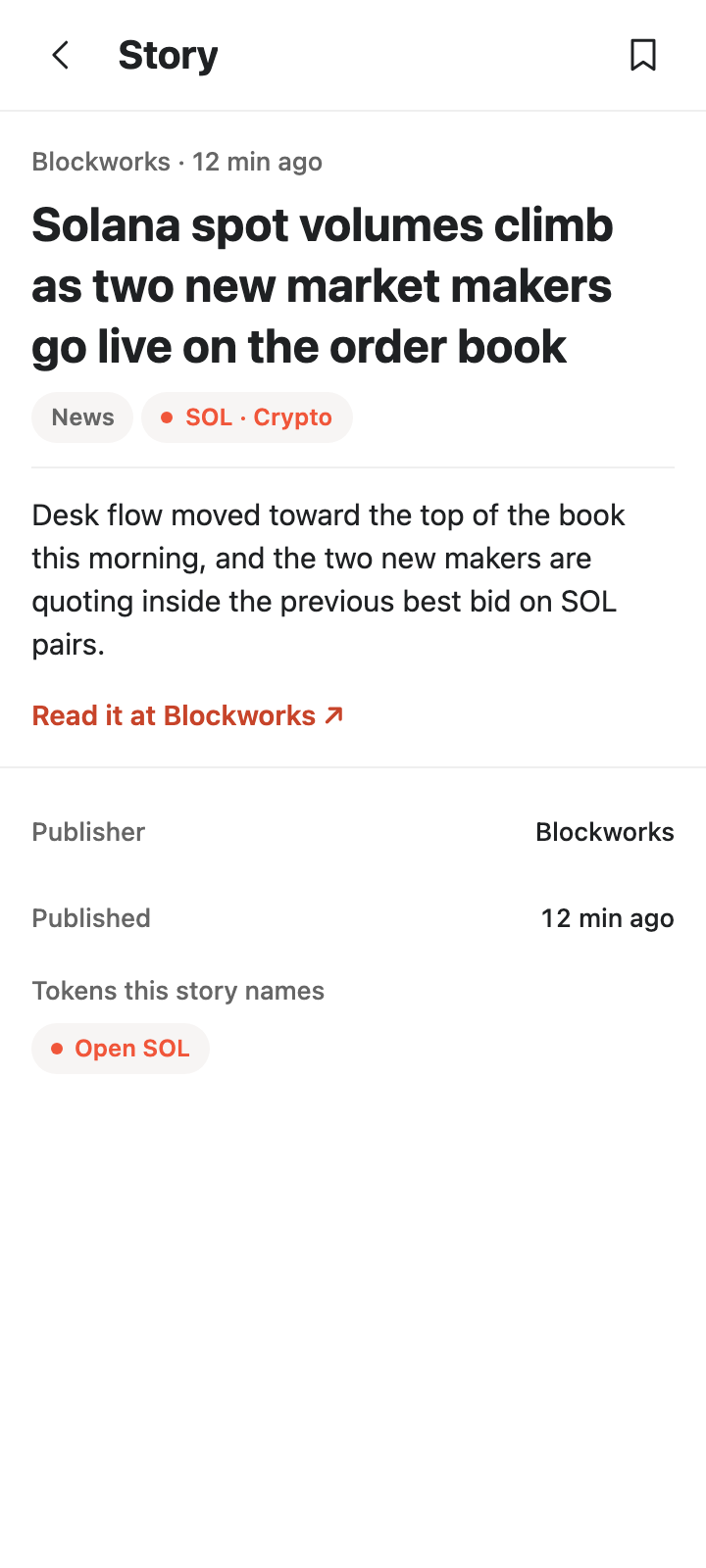
A story screen in Token Wire: publisher and age, the headline, a confirmed SOL token chip, an outbound source link, and a panel listing the tokens the story names.
A story: who published it, when, where to read it, and the token it names.
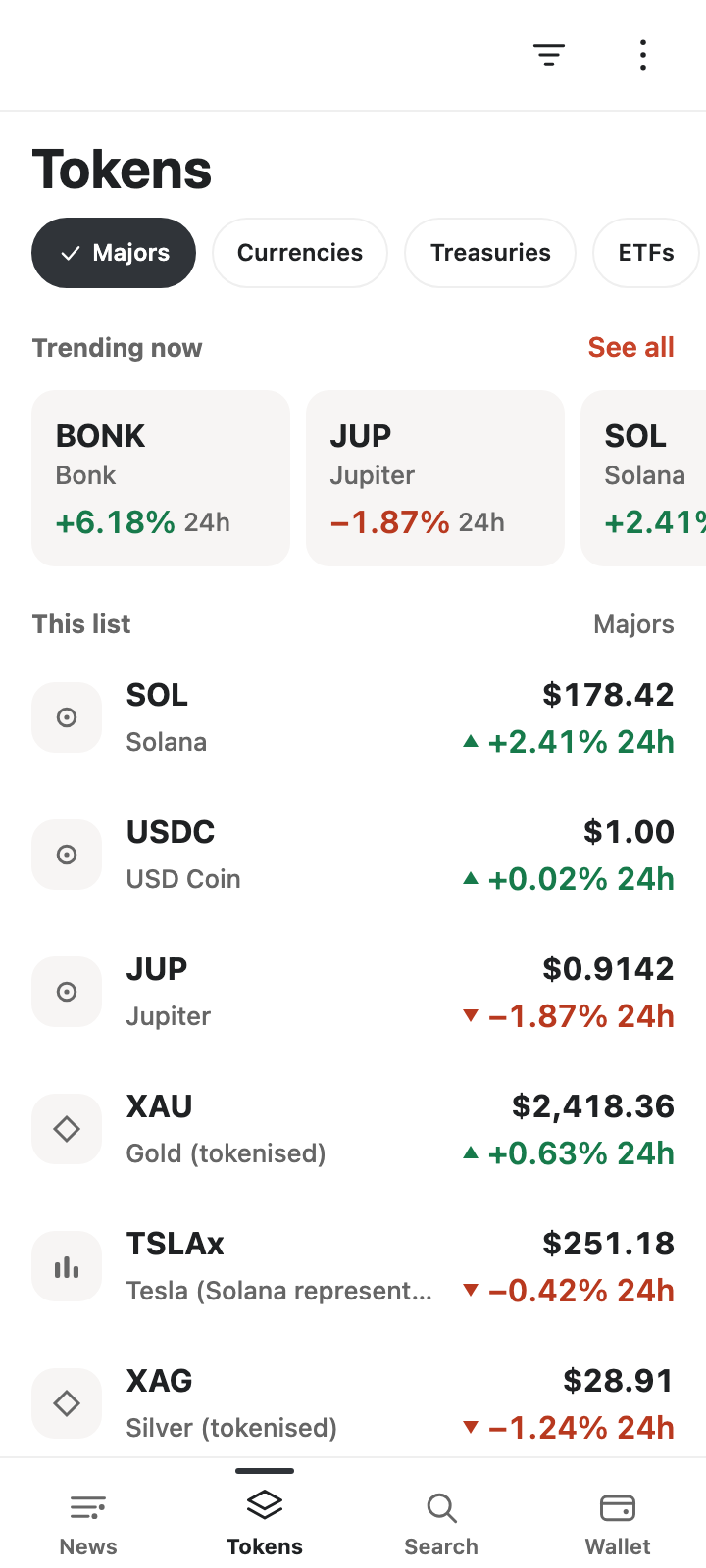
The Tokens screen in Token Wire: category filters, a trending strip and a curated list of tokens with price, 24-hour change and a risk-free metadata line.
The directory: curated lists, the trending board, and a token screen behind each row.

The screens shown are the app's own. The figures on them are examples rather than a live market reading — open the app for current numbers.

Four places to start

Bottom navigation, four destinations, and every deeper screen one back tap from where you found it. News, Tokens, Search, Wallet.

Tab 1

News

A live wire of Solana market stories and Tokens posts, newest first, filterable by news or posts. Open a story for its publisher, its age, its source link and the tokens it verifiably names; jump to a token's own news, save a story, or follow the stories that mention the tokens you follow.

Tab 2

Tokens

The curated directory — majors, currencies, treasuries, ETFs, metals and stocks — plus the trending board. Every token opens on price, 24-hour move, liquidity, volume and risk grade, with charts, DEX markets, exchange listings and its Solana representations behind it.

Tab 3

Search

Search the directory by name, symbol or mint. Narrow results by category, resolve a pasted mint or asset id, and compare tokens side by side. If a mint is not in the directory, the app says so instead of dressing it up as a token.

Tab 4

Wallet

Connect a Solana wallet and see your SOL balance. Token balances are read where the network allows it; when a balance genuinely cannot be read, the app says so and offers a retry rather than showing you an empty wallet. It stays your wallet: Token Wire reads it, and every approval happens on your device.

Honest by default

A market screen is only useful if you can tell what it knows. Token Wire is built to show you its limits rather than cover them.

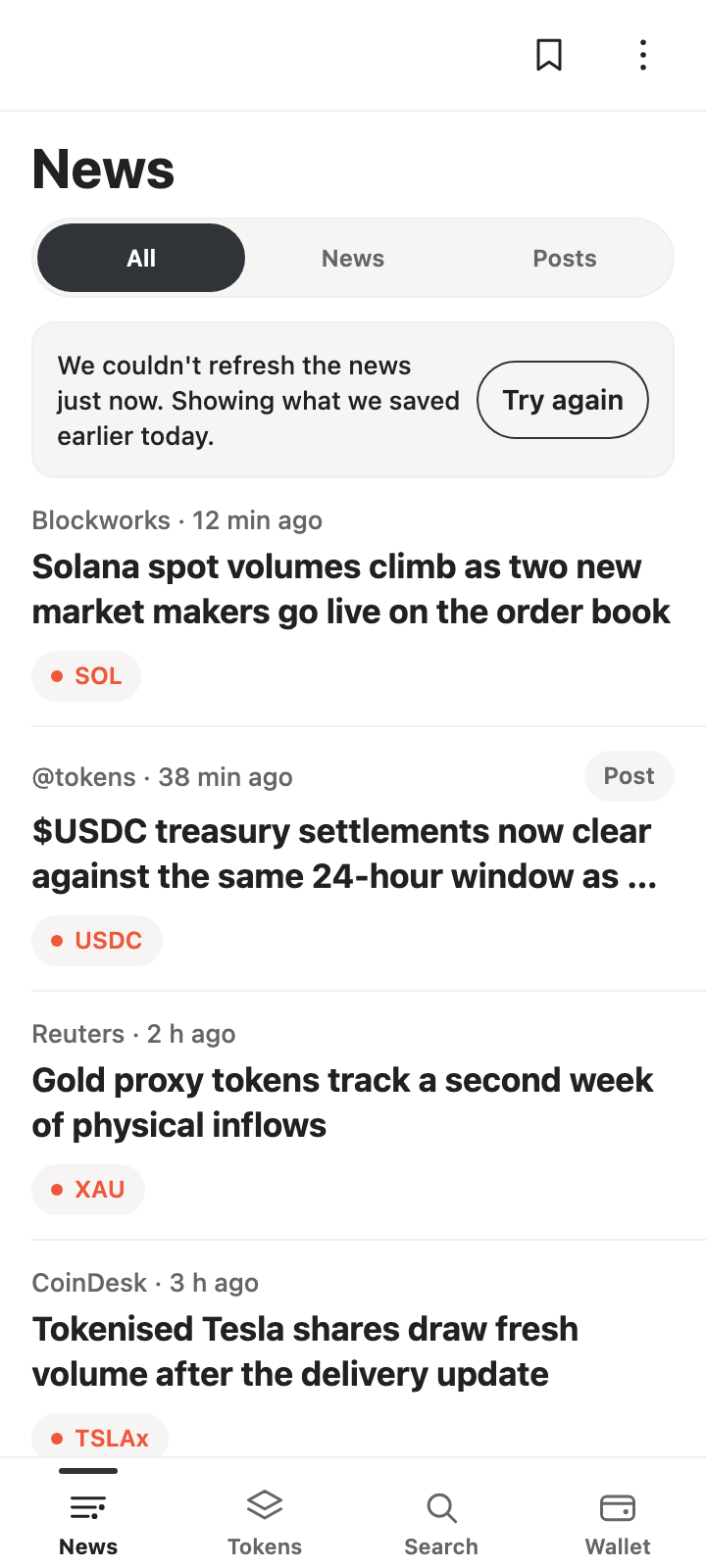
The News screen in a degraded state: one plain sentence saying the news could not be refreshed just now, with a Try again button, above the stories saved earlier.
When it cannot refresh, it says so once — in plain language, with a way to try again.

“We couldn't refresh the news just now. Showing what we saved earlier today.” Exactly what the app shows when the wire cannot be refreshed.

  • No number out of thin air

    Prices, liquidity, volume and risk grades appear with the age they carry, or they appear as a dash. A grade is never shown when the data behind it is incomplete, and an unreadable balance is never printed as zero.

  • No quiet failures

    If a screen cannot refresh, you get one sentence and a way to try again. There is no healthy-state machinery on the screen, no counter to decode and no figure presented as current that is not.

  • Nothing is trading until your wallet signs

    A swap starts as a quote — clearly an estimate — then a review, then an approval request to your wallet. The app can call it submitted only after a signature exists, and it never calls a swap confirmed, executed or filled before then. On the phone we tested with, the wallet app refused that approval before it showed any amounts: nothing was signed and nothing was sent, and the app says so plainly rather than pretending otherwise.

Questions worth asking

Short answers, no fine-print surprises — the legal pages are one tap away at the bottom of every screen.

Is Token Wire free?

Yes. Token Wire is free and non-commercial. It is not a trading venue and takes no fees.

It is an independent, unofficial companion to the Tokens directory. It is not affiliated with or endorsed by Tokens or the Solana Foundation.

Does Token Wire hold my funds?

No. The app never holds funds, never asks for a private key and never signs anything on a server. A swap is quoted and reviewed in the app, then approved inside your own wallet — nothing is submitted until your wallet signs. If your wallet app refuses that approval, nothing is signed and nothing is sent.

Wallet connection happens through the Solana Mobile Wallet Adapter, so your keys stay on your device.

Do I need an account?

No account, no sign-up, no email address. Wallet connection is optional and only happens when you choose to connect. Saved stories, your watchlist, follow lists and alerts are kept on your device.

How does a story get a token attached?

The app looks for cashtags in a headline and confirms each one against the directory's exact symbol. Only confirmed assets become token chips; anything unconfirmed stays plain text.

Not every story names a token — in the directory's own wire only a small share do — so the wire stands on its own rather than pretending every story has one.

What do I need to run it?

An Android phone, and — only if you want to connect a wallet or trade — a Solana wallet that supports the Solana Mobile Wallet Adapter. The app is Android-only; there is no iOS or web build.

What happens when the data cannot be refreshed?

You see one plain sentence and a Try again action, and the values you already have stay visible with their own age attached. Nothing is silently relabelled as current.

Where is the small print?

Privacy policy, user agreement (EULA) and the intellectual property declaration. The same links sit at the bottom of every screen on this site.

Take the wire with you

One download, four destinations, and an honest state for everything the app cannot see.

Android · Free · Non-custodial · No account required. Token Wire is an independent, unofficial companion to the Tokens directory.